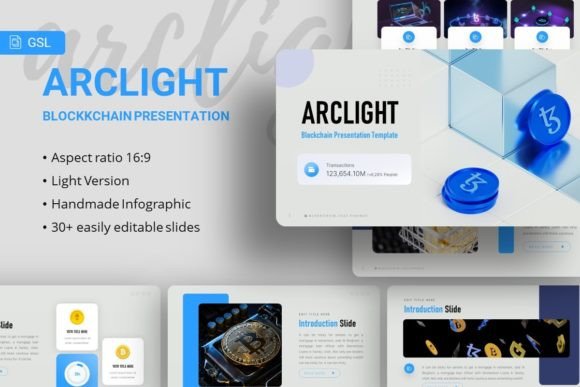
Google Slides - Arclight: A Modern Template for Bold Presentations
Capturing attention in a crowded digital space requires more than just good ideas; it demands exceptional presentation. The Google Slides - Arclight template provides a sophisticated, ready-to-use foundation for professionals who need to communicate complex information with clarity and style. This isn't just a collection of slides; it's a comprehensive design system built on modern typography and clean, structured layouts. The template's visual personality is one of confident minimalism—professional without being sterile, and creative without sacrificing structure.
A Design System Built for Clarity and Impact
At its core, Arclight is defined by its thoughtful use of typography. The primary typeface, Inter, is a versatile sans serif font celebrated for its exceptional readability on screens, making it ideal for digital presentations and web design contexts. It provides a clean, approachable foundation for body text and data. Paired with Bahnschrift, a geometric sans serif with a slightly more technical and structured feel, the template achieves a compelling visual hierarchy. This font pairing ensures that headings command attention while supporting text remains effortlessly legible, a critical balance for any effective pitch deck or company profile.
The template's strength lies in its extensive library of 35+ meticulously crafted slides. Each slide is designed with a pixel-perfect illustration style, featuring handcrafted infographics and resizable vector graphics. This approach moves beyond generic stock layouts, offering a cohesive system where every element—from data visualization to team bios—feels intentionally designed. The use of master slides ensures absolute consistency, allowing you to update fonts, colors, and logos across the entire presentation with a single click. This is the hallmark of a premium font and template package: it respects your time and elevates your output.
Where Arclight Excels: From Boardrooms to Portfolios
The versatility of the Google Slides - Arclight template makes it a valuable design asset for a wide range of applications. Its clean, corporate-friendly aesthetic is perfectly suited for company profiles, investor pitch decks, and quarterly business reviews. The structured infographics transform complex data into digestible visual stories, enhancing audience engagement and retention. For creative agencies and startups, the template provides a polished stage to showcase portfolios, service offerings, and brand narratives without the cost of a custom design.
Beyond traditional business use, Arclight adapts seamlessly to personal projects. Bloggers and content creators can use it to develop cohesive media kits or course materials that strengthen their brand identity. Photographers and crafters will find the image placeholders and minimalist layouts ideal for visually-driven portfolios that let the work speak for itself. The included documentation and vector icons further empower users to customize the template for specific needs, whether it's a non-profit proposal or a wedding photography showcase.
Practical Guidance for Implementation and Brand Consistency
Adopting a template like Arclight is a strategic move toward professionalism and brand recognition. To maximize its value, start by aligning the template's color palette with your existing brand identity. The neutral base provided by the Inter and Bahnschrift fonts is a perfect canvas for injecting your brand's signature colors. Use the master slide feature to set your primary and secondary fonts, ensuring every new slide you add automatically maintains visual consistency.
When evaluating project fit, consider the template's inherent strengths. Its modern, sans serif font combination conveys innovation, efficiency, and clarity—ideal for tech, finance, consulting, and modern consumer brands. For projects requiring a more traditional or luxurious feel, you might use Arclight's layouts but experiment with font pairing, perhaps introducing a complementary serif font for specific headings to add a touch of classic elegance. Always test your content on the actual slides; the generous white space and clear typographic hierarchy are designed to improve readability, but ensure your specific text lengths don't disrupt the intended flow.
Remember, the included images from Unsplash, Pixabay, and Pexels are for preview only. To maintain authenticity and legal compliance, replace them with your own high-quality photography or sourced images that reflect your unique story. The drag-and-drop picture placeholders make this process intuitive, allowing you to focus on your message rather than technical formatting. By leveraging the full suite of 35+ slides and customizable infographics, you transform a presentation from a simple slideshow into a powerful tool for persuasion and storytelling, solidifying your brand perception as organized, credible, and visually sophisticated.