Instagram Feed Template - Baking: A Designer's Guide
Creating a visually cohesive and professional Instagram feed is a significant undertaking, especially in a saturated market like baking and food content. The Instagram Feed Template - Baking is a practical design asset built to solve this specific challenge. It offers a structured, pre-designed layout system that allows creators to maintain a consistent aesthetic without starting from zero each time. This template isn't just about pretty pictures; it's a tool for efficient content creation and brand building.
Visual Style and Personality
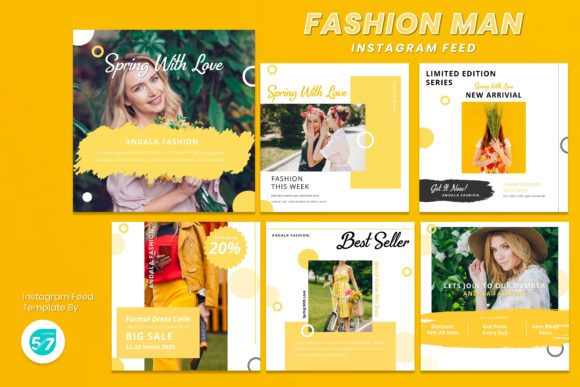
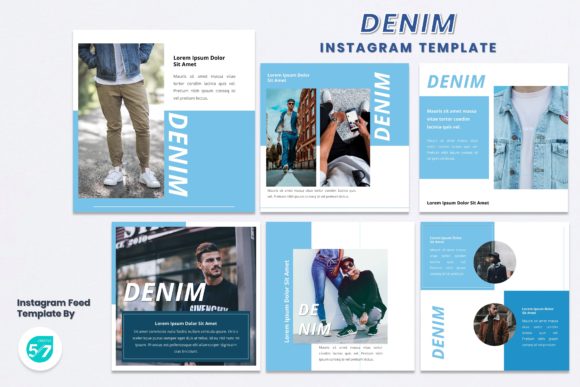
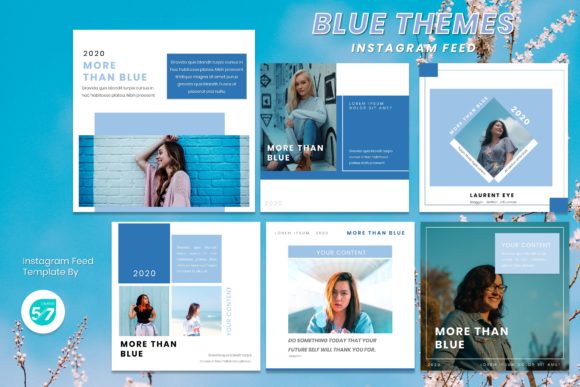
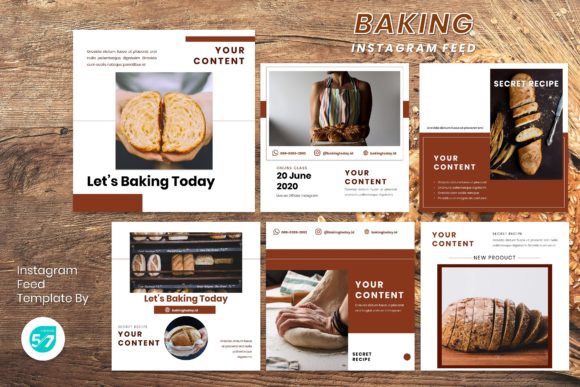
At its core, this template embodies a modern, elegant, and professional aesthetic. The layouts are clean and uncluttered, using ample white space to let the food photography or product imagery take center stage. The design personality is sophisticated yet approachable—it avoids overly whimsical or rustic styles, instead opting for a refined look that can appeal to a broad audience. The use of recommended free web fonts ensures the typography remains crisp and accessible, contributing to the overall clean feel. The 1080x1080 pixel dimension is perfectly optimized for Instagram, ensuring your posts display without awkward cropping or loss of quality.
Where This Template Excels
The versatility of the Instagram Feed Template - Baking is one of its strongest features. While designed with bakers and pastry chefs in mind, its utility extends far beyond the kitchen. Consider these applications:
- Baking & Pastry Businesses: Showcase new recipes, daily specials, behind-the-scenes processes, and customer testimonials in a uniform, branded grid.
- Food & Beverage Brands: Launch products, highlight ingredients, or run promotional campaigns with a cohesive visual language.
- Photography Portfolios: Photographers can use the layouts to present their work in a structured feed, telling a visual story through a series of posts.
- Personal Branding & Lifestyle Bloggers: Maintain a consistent aesthetic for lifestyle content, from recipe shares to product reviews and personal updates.
- Small Business Marketing: Entrepreneurs can create professional-looking social media graphics for sales, announcements, and brand storytelling without hiring a designer for every post.
The template acts as a foundation for your brand identity, ensuring every post feels like part of a larger, intentional visual strategy.
Practical Application and Workflow
Using this template is designed to be straightforward. The "Drag and Drop" functionality and editable graphics in PowerPoint mean you don't need advanced software skills. The process typically involves: selecting a slide, replacing the placeholder image with your own photo, adjusting text, and exporting as a JPG or PNG file. This streamlined workflow is invaluable for busy creators and business owners who need to produce quality content quickly.
When evaluating if this template fits your project, consider your visual hierarchy needs. The pre-set layouts guide the viewer's eye, establishing a clear order of importance—whether it's the image first, then a headline, then supporting text. This inherent structure improves readability and message clarity. For brand perception, consistency is key. Using the same template style across dozens of posts builds recognition. Your audience will begin to associate the clean, elegant layouts with your brand, fostering a sense of professionalism and reliability.
Design Considerations and Best Practices
To get the most out of the Instagram Feed Template - Baking, think beyond simple image swaps.
- Font Pairing: While the template includes recommended fonts, experiment within the PowerPoint file. Ensure your chosen typeface complements the overall aesthetic. A sans serif font often pairs well with clean layouts for a modern feel, while a subtle serif font can add a touch of traditional elegance if appropriate for your brand.
- Color and Imagery: The template's neutral backgrounds make it a versatile canvas. Use your brand colors in text or graphic elements to reinforce identity. Ensure your photography style—lighting, angle, and composition—aligns with the template's elegant vibe for maximum impact.
- Content Strategy: Plan your feed as a whole. Use different slides from the template for different content types (e.g., a quote graphic, a single product shot, a carousel of process images). This creates visual variety within a cohesive framework, keeping your feed dynamic and engaging.
Remember, the template is a starting point. The real power comes from infusing it with your unique content and strategic vision. By leveraging this design asset, you save significant time and resources, allowing you to focus more on creating great products and engaging with your community. It’s a practical tool for achieving a polished, professional social media presence that builds trust and attracts your ideal audience.